
Customer systems for detailing businesses

You don't need more leads. Stop losing the ones you have.

Missed calls, slow replies, customers who never come back. I patch every hole: websites, online booking, texts from your own number, and an AI receptionist for the calls you can't take. This page walks through the real system I built and run for Valley Details, a mobile detailer in Elk Grove, California.

  1. 01Get found
  2. 02Get booked
  3. 03Follow up
  4. 04Bring them back
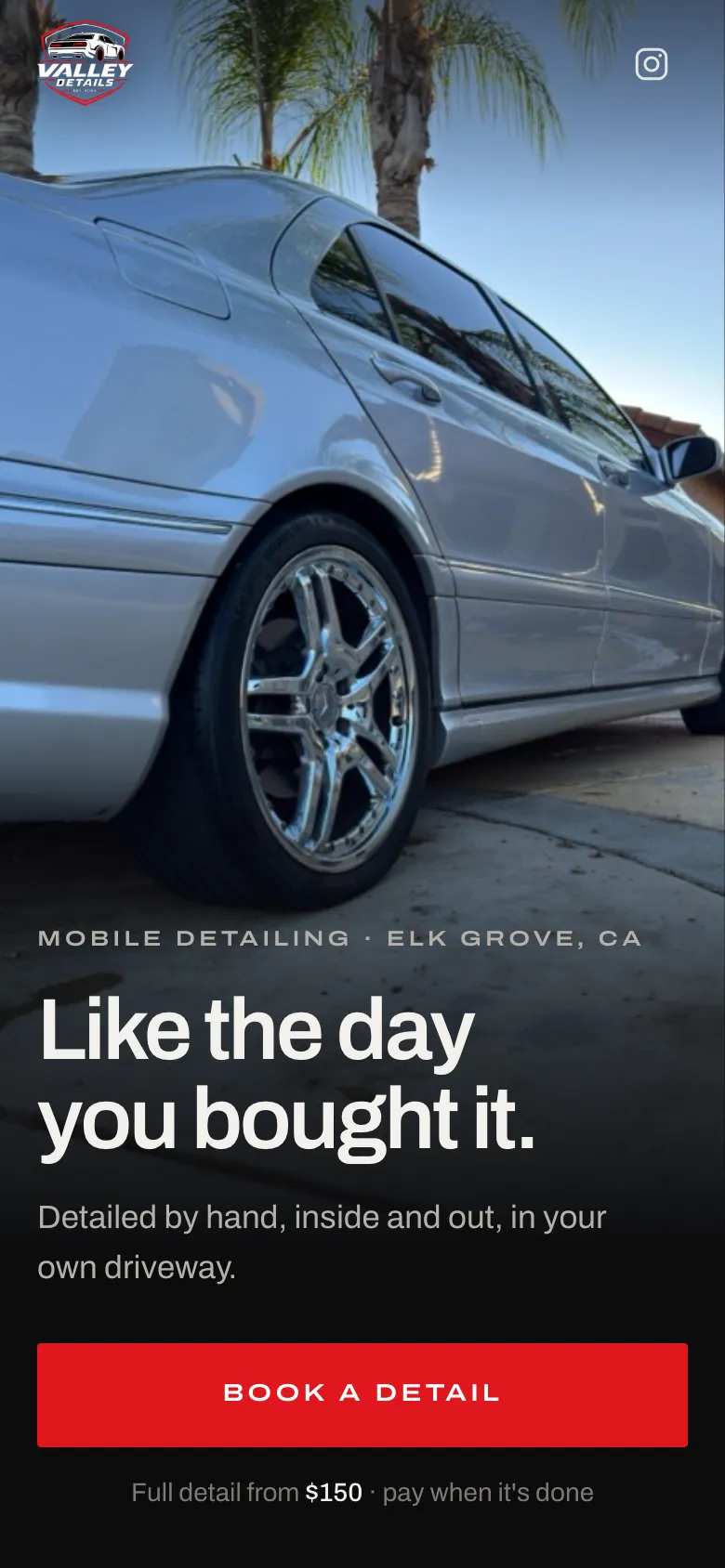
Valley Details website on a phone: a full-bleed photo, Like the day you bought it, Book a detail, full detail from $150.
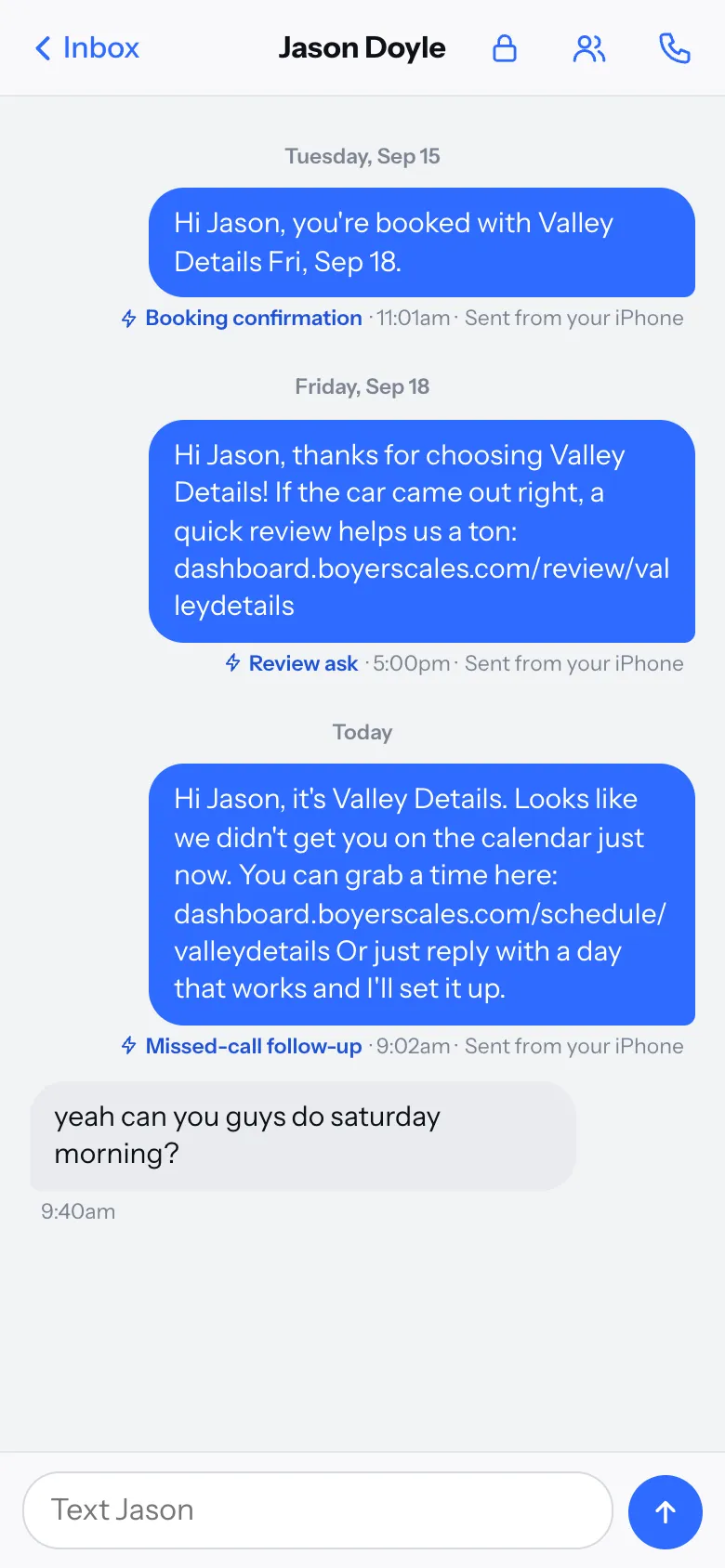
Owner dashboard text thread: a booking confirmation, a review ask, a missed-call follow-up, and the customer replying to book.

Left valleydetails.site  ·  Right the owner's dashboard, sample customer

  • Every screenshot is real. Taken from the live site and the dashboard I built. Text messages use the system's real wording.
  • No invented numbers. Only what's measured, like its Google rating. Projections and "up to" claims don't go here.
  • Customer privacy. Names in dashboard screens are samples. Real customers stay private.

The proof

Valley Details is a real detailing business. I built everything it runs on.

Mobile detailing out of Elk Grove: a full detail from $150, interior from $85, exterior from $75, and a one-hour Express from $50. I'm involved on the ownership, marketing and operations side, so I don't just build the system. I see what it does with real bookings.

5.0from 12 Google reviews Checked Sep 2026 ↗
Valley Details homepage on desktop: full-bleed photo, Like the day you bought it, Book a detail, full detail from $150
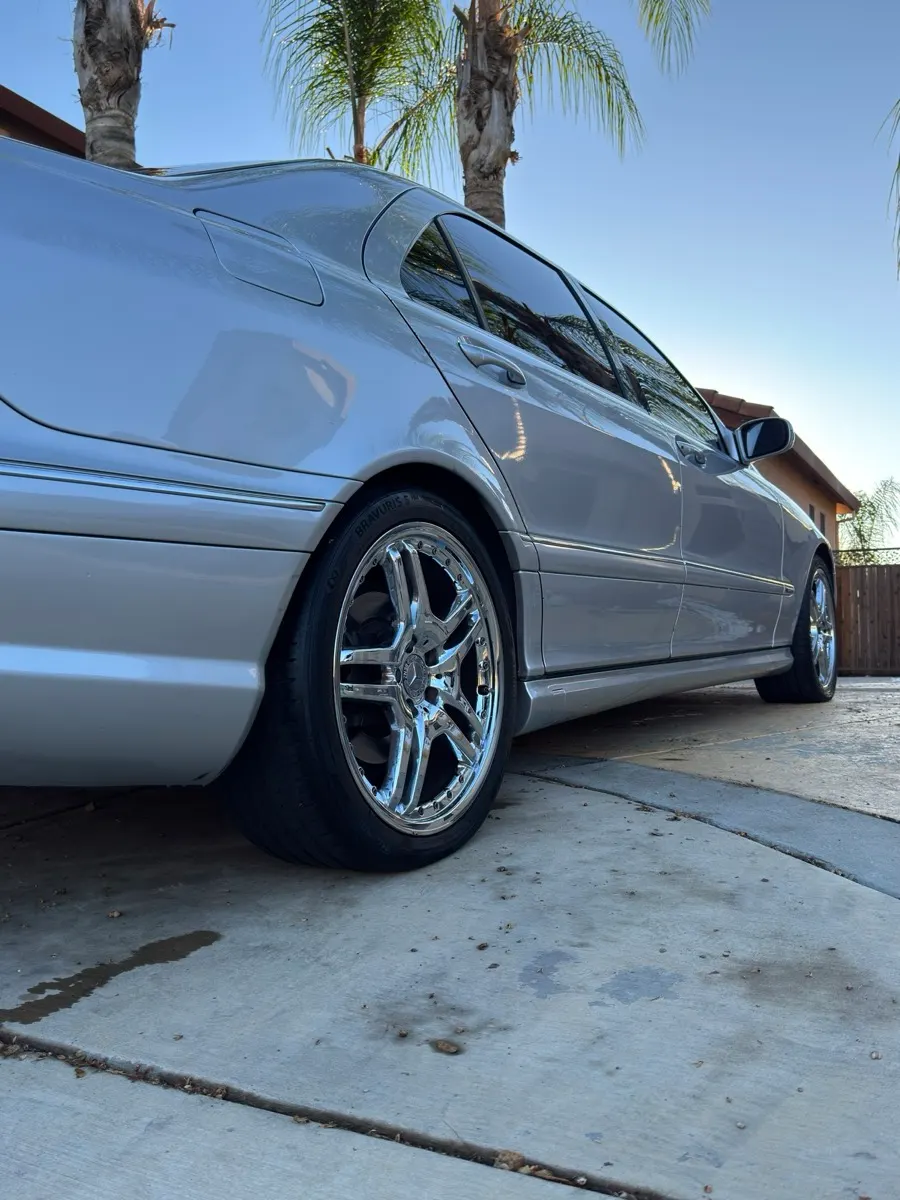
Silver Mercedes wheel and side after a Valley Details detail
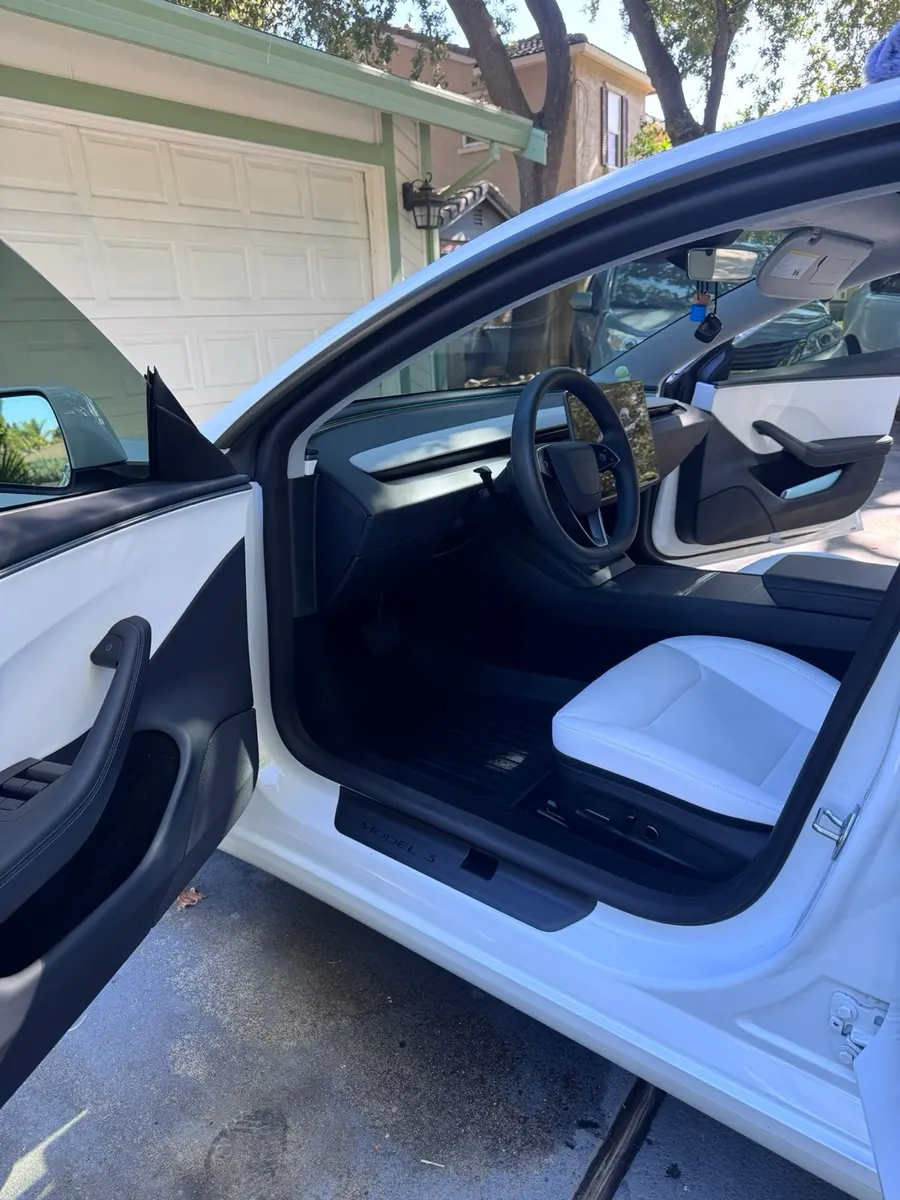
Tesla interior after a Valley Details interior detail
Silver Mercedes-Benz E-Class grille after a detail
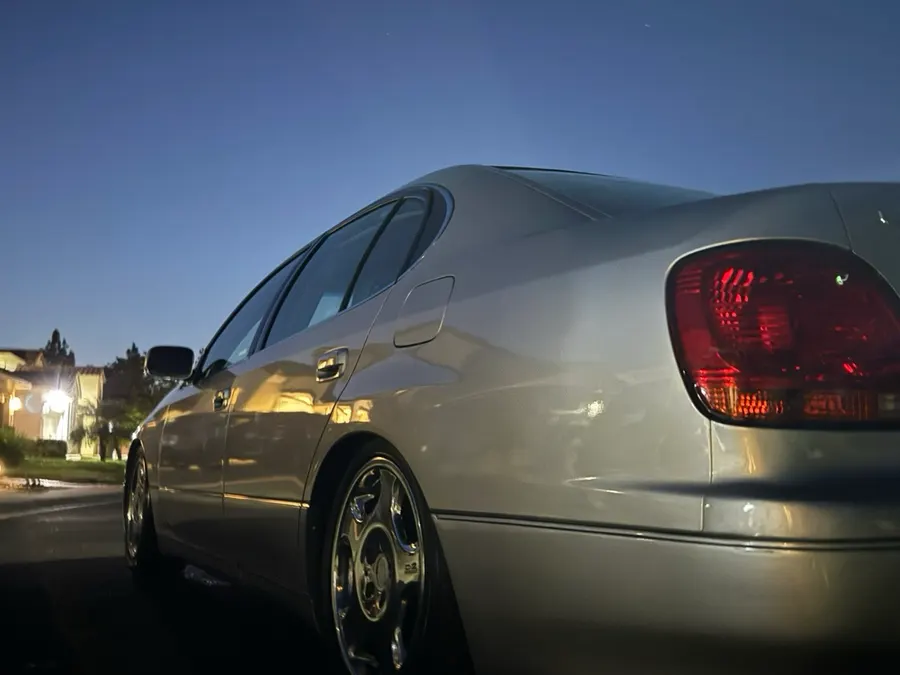
Silver sedan after an exterior detail
Real Valley Details jobs around Elk Grove.

What I built for Valley Details

01Get found

  • Mobile-first website with prices on the first screen
  • Google Business Profile written to Google's rules
  • Service-area markup search engines can read

02Get booked

  • Online booking against the live schedule
  • Two cars, 3+ cars and drop-off in one flow
  • Self-serve reschedule link for every appointment

03Follow up

  • Blue SMS texts from the business's own number
  • Confirmations, 1 day and 1 hour reminders
  • Replies and history inside the owner's dashboard

04Bring them back

  • Review request when a job is marked complete
  • $20 / $20 referral links that track themselves
  • Rebook and win-back texts, timed from the last detail

The system

One loop, not thirty features.

Each step feeds the next. A good detail becomes a review. A review helps the next stranger trust you. A referral link turns one customer into two. A text at the right time turns a one-time job into a regular.

Tap any step to see how it works at Valley Details.

01 Get found

01Get found

Someone finds you

At Valley Details

See this step

01Get found

Look like the obvious choice before anyone calls.

Most people pick a detailer off a map result or a quick search. What they see there, and on your site right after, decides whether they reach out or keep scrolling.

A Google profile set up by the rules

For Valley Details I wrote the profile to spec: the right primary category, service areas instead of a home address, real prices on every service, and a plain business name. Stuffing keywords into the name is a common way new profiles get suspended.

A website search engines can actually read

Services, prices and cities in plain text. Structured markup that tells search engines this is a detailing business, where it works, and when it's open. Fast on a phone, because that's where the search happens.

A steady flow of new reviews

Every finished job gets asked, by text, while the car still looks new. More recent, real reviews means more trust with the people comparing you side by side.

What search engines read on valleydetails.site
// excerpt, from the live page source
{
  "@type": "AutoDetailing",
  "name": "Valley Details",
  "telephone": "+1-916-249-0631",
  "address": { "addressLocality": "Elk Grove" },
  "areaServed": {
    "@type": "GeoCircle",
    "geoRadius": "16093"  // 10 miles
  },
  "sameAs": ["instagram.com/valleydetailsca"]
}

02Get booked

Close the gap between “looks good” and “I'm booked.”

When someone lands on your site, the interest is already there. The job is not to lose them. Every screen on Valley Details points at one action.

Valley Details on a phone: the full detail at $150 sedan, $170 SUV, $190 truck, with Call and Book a detail pinned to the bottom 1 2
Valley Details booking: open times for the day, the selected time, come to you or drop off, name, mobile, text opt-in 3 4 5
  1. 1

    The price is up front

    $150 for a sedan, $170 for an SUV, $190 for a truck, paid when it's done. The question most people would call to ask is answered before they have to.

  2. 2

    Call and Book never leave the screen

    On phones, both buttons stay pinned to the bottom. Whenever they're ready, they don't have to hunt.

  3. 3

    Pick a time first. Details second.

    The service, the day and the time come first, so it reads like a calendar, not a form. Name, phone and car only show up after a time is tapped.

  4. 4

    Real availability

    Times come from the live schedule. Taken slots show crossed out instead of disappearing, so the calendar never offers a time that's gone.

  5. 5

    Permission to text, asked at the right moment

    A checkbox at booking lets customers opt in to open-slot deals. That list is what the rest of the system markets to.

Right after they book

It becomes a customer, not a notification.

The booking lands in the dashboard as a person with the service, time and phone number. The confirmation text goes out from the business's own number, and the owner can get an alert.

Plans change

Customers move their own appointment.

Every confirmation carries a private link to that one appointment. No phone tag to reschedule, and the calendar stays right.

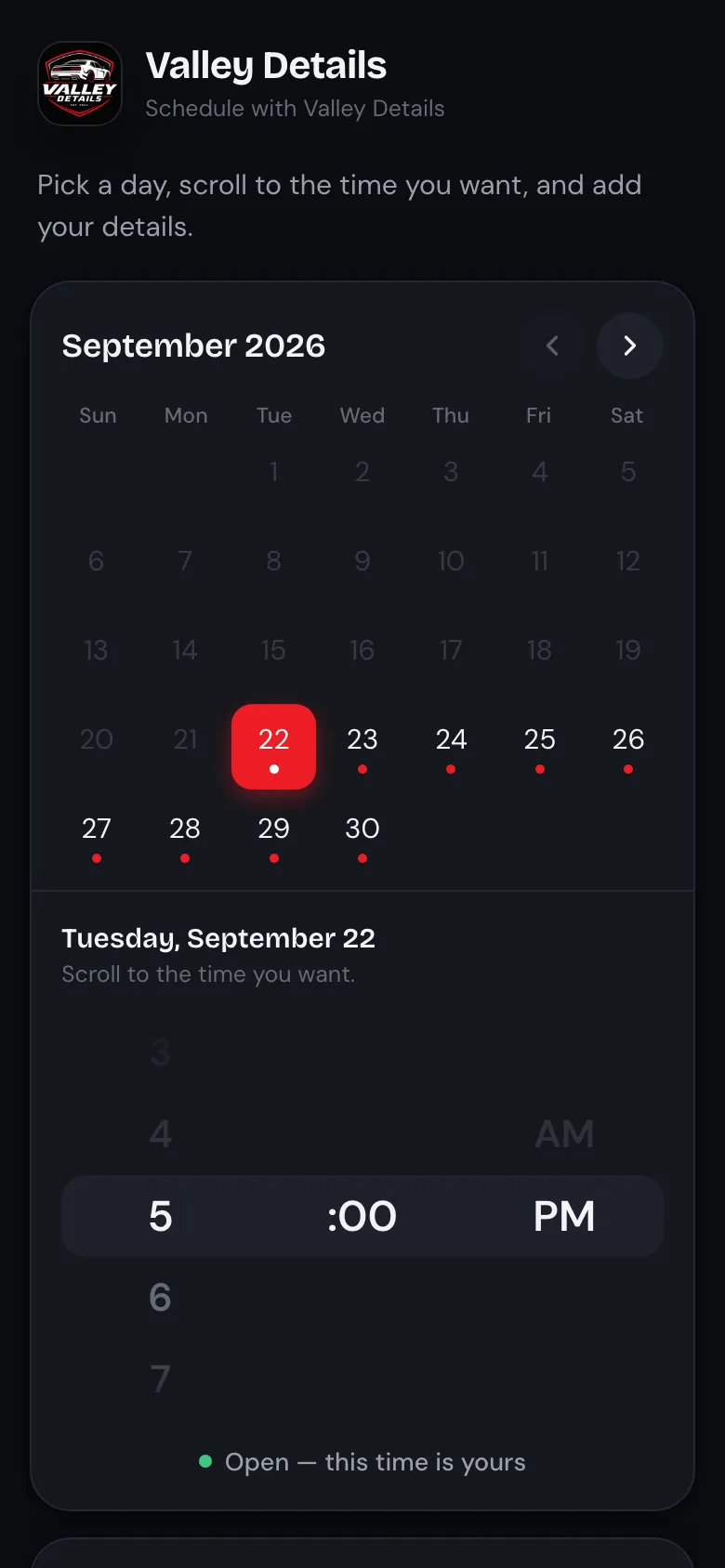
Valley Details reschedule page with a month calendar and a time picker

When they call instead

The phone gets answered too.

Not everyone books online. For shops that can't pick up mid-detail, an AI receptionist answers and books the same calendar.

How calls get handled

02Get booked · AI receptionist

Calls still book jobs. Every one should get answered.

Plenty of customers would rather call than fill out a form, and nobody can pick up with a buffer in their hands. I build AI receptionists that answer on the business's own line, handle what people call about, and put the job on the calendar before they hang up.

  1. 1

    Answers in your business's name

    On the first ring, on the number customers already have. It listens, asks one thing at a time, and writes down what matters while they talk.

  2. 2

    Handles the questions people call about

    Prices by vehicle size from your own price list, what each service includes, and whether you cover their area. It only quotes numbers you've approved.

  3. 3

    Books while they're still on the line

    The job goes onto the same live calendar as online bookings, and the confirmation text goes out from your number.

  4. 4

    Nothing falls through

    Every call lands in the dashboard with who called and what they need. If a call ends without a booking, a text follows up with a link to pick a time.

On a call Example call

(916) 555-0187

Answered on the first ring

Service
Full detail, inside and out
Vehicle
SUV, three rows
Where
Their driveway, Elk Grove
When
Saturday morning
Name
Priya

Booked Saturday, 9:00 AM, before the call ended

Hear an example call A scripted walkthrough, so you can hear how it sounds and what happens after.

03Follow up · Blue SMS

Texts from your number. Not a no-reply robot.

Blue SMS sends through the business's own iPhone and number. Customers get a normal text thread with the business, blue bubbles on an iPhone, and their replies come back to that phone and into the dashboard. The follow-up that happens is the one nobody has to remember.

    Real wording from the Valley Details system. The customer is an example.

    Valley Details

    Built with the brakes on

    Automated texting done carelessly burns a customer list. These rules are in the code.

    • opt-inPromos only go to people who said yes.Every promo is checked against a recorded YES and no STOP before it sends.
    • 7 daysOne promo a week, at most.Per customer, no matter how many campaigns are running.
    • bookedNothing while they're already booked.No “come back” text to someone who's on the calendar.
    • 10a–6pPromos go out during the day.Between 10 AM and 6 PM, never at night.
    • repliedA reply pauses the sequence.Once they answer a promo, rebook and win-back texts wait until their next detail.
    • onceEach reminder sends exactly once.A restart or a double tap can't text a customer twice.

    04Bring them back

    A finished detail is the best marketing you'll get. Use it.

    A happy customer standing next to a clean car is proof, a referral source, and your next booking. It's easy to let all three drive off.

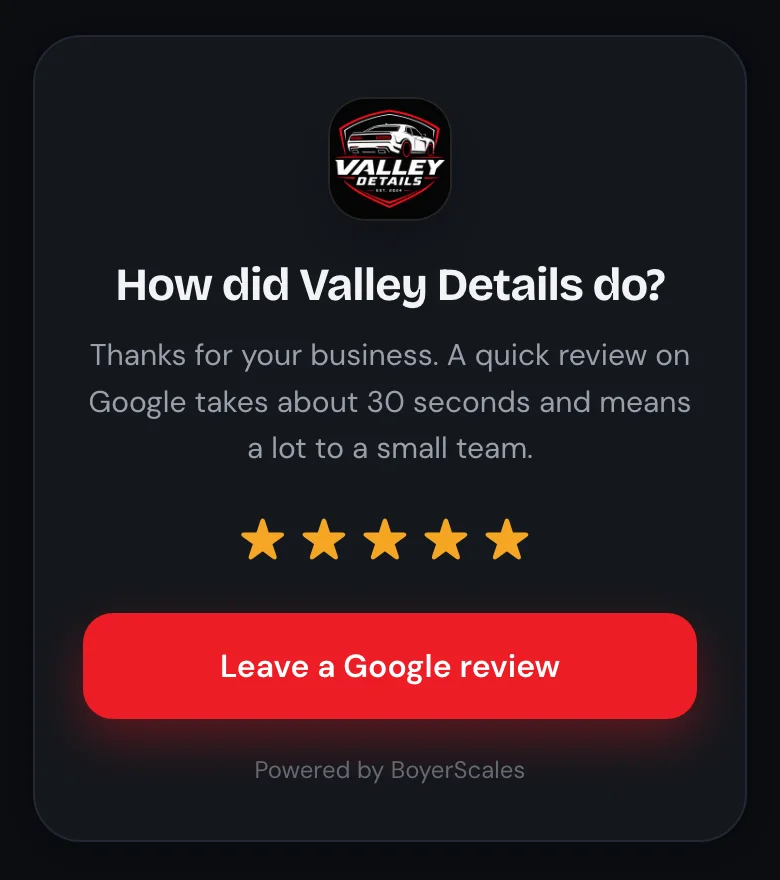
    Valley Details review page with the Valley Details logo: How did Valley Details do? Leave a Google review

    Reviews

    Turn completed details into more proof.

    When a job is marked complete, the customer gets a thank-you text with the review link while the car still looks new. It's guarded so it can't send twice.

    So far: Valley Details has a 5.0 rating from 12 Google reviews.

    What we never do: trade discounts for reviews. Google prohibits it and can filter those reviews. Ask every customer, never pay for it.

    Hi Marcus, glad the car came out right. Your link gives friends $20 off their first detail with Valley Details, and you get $20 off your next one when they book: valleydetails.site/?ref=…
    Later, a friend books with the link
    Hi Marcus, Dana just got detailed with Valley Details using your link. Your $20 off is waiting and comes off automatically next time you book: valleydetails.site

    Referrals

    Give happy customers something to share.

    Every customer gets their own link. Their friend gets $20 off the first detail. When that friend's job is done, the customer's $20 comes off their next booking automatically. The owner sees each customer's link, who they sent, and the credit left.

    Then the calendar does the remembering.

    After a detail, the system knows when each customer is due and texts them at the right time. These are the default timings. Each business sets its own, and every promo follows the rules above.

      Multi-car jobs

      More cars per trip, priced in the booking.

      Customers pick how many cars when they book. Two full details at the same address take $25 off the second car. Three or more, they book the day and the owner calls with a price.

      Open slots

      Fill tomorrow's gaps with people who already like you.

      From noon, if tomorrow still has openings, opted-in past customers can get an open-slot deal. It stops the moment tomorrow fills up.

      Honest offers

      A promo that says $20 off is honored automatically.

      When that customer books, the job saves at the lower price with a note explaining why. The crew knows, and the numbers in the dashboard stay true.

      The owner's side

      Never lose track of someone who wants a detail.

      None of this helps if the owner can't see it. Every booking, call and text lands in one place, so the team knows who the customer is, what they want, and what happens next.

      dashboard.boyerscales.com Sample customers
      Dashboard People list: each customer marked Not booked, Booked, In progress or Done A customer record: name, phone, status, call, text and book buttons, jobs and the text thread Dashboard schedule: the week's jobs with times, vehicles, prices and status
      • Who's booked and who isn't. Every person is Not booked, Booked, In progress or Done, so nobody who asked about a detail disappears.
      • Text them from their record. The whole Blue SMS thread lives on the customer, sent from the business's number.
      • Mark it done, and the review ask goes out. One tap closes the job and starts the after-detail texts.
      • Alerts when something happens. New lead or new booking, sent where the owner will see it.
      • Built for a phone. It installs to the home screen and works one-handed between jobs.

      Beyond the loop

      Valley Details didn't need more software. It needed specific problems solved.

      So I built what it needed. Your bottlenecks are probably different, and that's fine. Your system doesn't have to look like this one. I build around the problem instead of forcing you into a template.

      If this sounds like youWhat I'd build
      The phone rings while you're elbow-deep in a job.An AI receptionist that answers in your business's name, takes the details and books. Plus a text if the call doesn't end in a booking.
      Every quote turns into a phone call.Instant quotes from your own price list, by vehicle size and add-ons, on the site or on a call.
      Leads live in DMs, texts and your memory.One customer list with status, history and a next step for each person.
      You can't tell what's actually working.A dashboard built around the handful of numbers you care about, from data you already have.
      Your booking, payments and calendar don't talk.Integrations and API connections so information moves on its own instead of by copy and paste.
      Something gets done by hand every single week.An internal tool or automation that does it for you.
      • Websites & web apps
      • Booking systems
      • Blue SMS
      • Customer records
      • Automated follow-up
      • Text campaigns
      • AI receptionists
      • Dashboards
      • APIs & integrations
      • Internal tools

      Don't need all of this? Good. I only build what makes sense for your business.

      A straight answer

      You might not need me.

      If all of these are already true for your business, you're in good shape and I'll tell you that. If some aren't, those are the leaks worth fixing first.

      Check what's true today

      0 of 8. Check what's already handled.

      Nothing you check is saved or sent anywhere.

      How we'd start

      Start small. Build what's worth building.

      1. 01

        We talk about your business

        Fifteen minutes. How people find you, how they book, and what happens after the detail.

      2. 02

        I point at the leak

        A straight answer on what's worth fixing, what isn't, and what it would take.

      3. 03

        I build that part

        Then we look at whether anything else is worth doing. Sometimes nothing is.

      The offer

      Every leak patched. $250 to set up.

      Website, online booking, texts from your own number and an AI receptionist, set up for your business. Not happy in the first 30 days? You get the full $250 back. Your first month is free, then it's $99 a month.

      Start now: $250

      Secure checkout by Stripe. Cancel anytime.

      Text me Talk to me